Working from home stopped being a temporary arrangement years ago. Across Murrieta, Temecula, Menifee, and the rest of the valley, bookkeepers answer client emails from the kitchen table, sales reps log in from coffee shops, and owners check payroll from the couch at 10 p.m. That flexibility is great for business. It also means your company’s data now lives in a dozen places you don’t control. Remote work security is no longer an IT side project. It’s part of running a business.
Here’s what we see go wrong most often when businesses and home users work outside the office, and the practical fixes that close those gaps without slowing anyone down.
Inside a traditional office, a lot of security happens without anyone thinking about it. There’s a locked front door, a business-grade firewall, a printer that isn’t shared with the neighbors, and a manager who notices when a stranger walks in. Once your team goes remote, most of those quiet protections disappear.
Industry research on remote workforces keeps pointing to the same top concern: organizations can’t control the physical environment where remote employees work. Think about what that looks like in real life. A laptop left open on a table while the kids’ friends are over. Client files printed on a home printer and tossed in the regular trash. A work computer that a spouse “just borrows” to check email. A video call where a whiteboard full of account numbers sits in the background. None of these are hacking in the movie sense, but every one of them can expose sensitive information.
When we audit remote setups for local businesses, the same problems show up again and again:
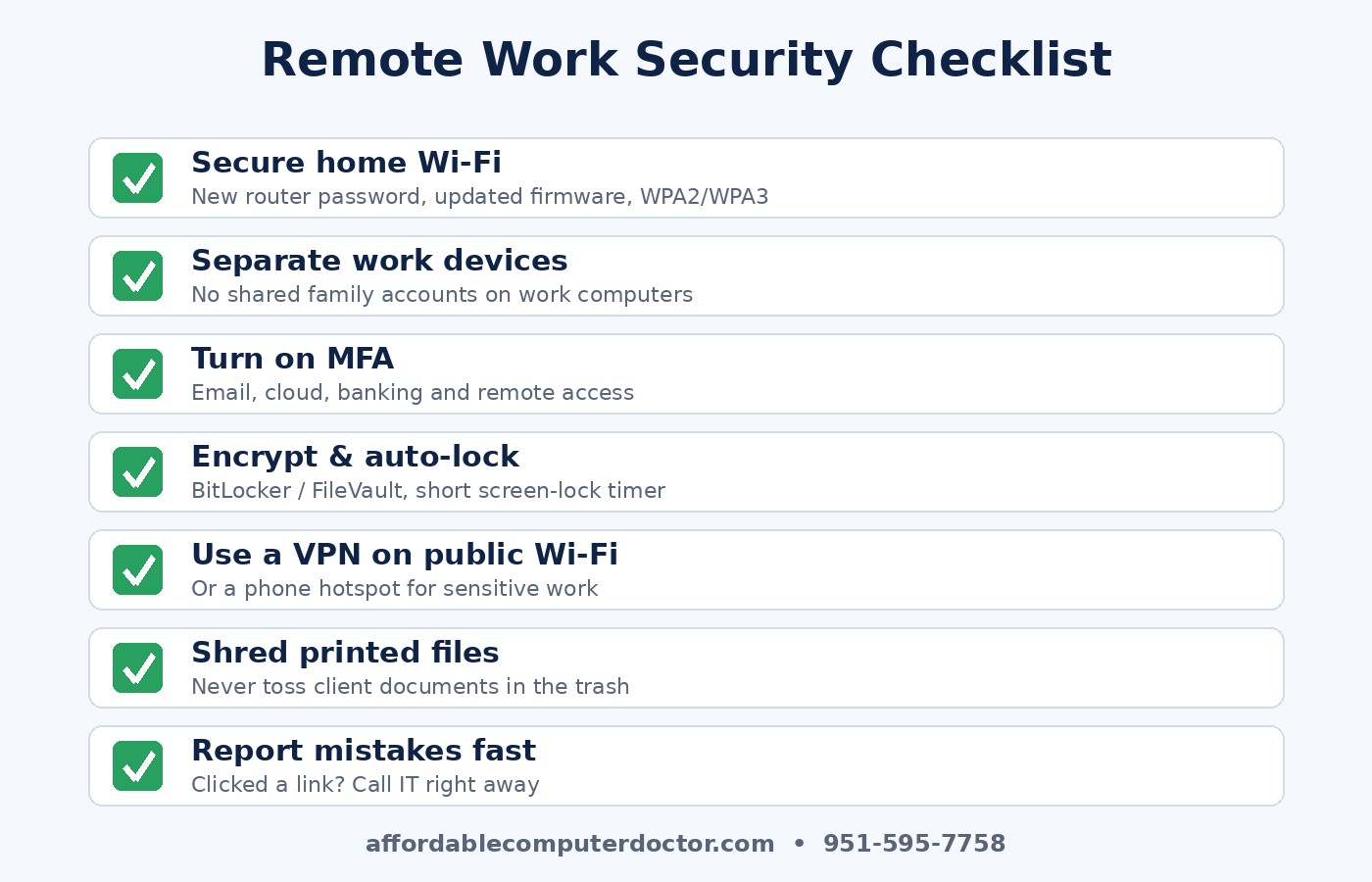
The good news is that you don’t need an enterprise budget to fix most of this. These steps cover the majority of remote work risk for a small business or a home user:
Change the router’s admin password, update its firmware, and use WPA2 or WPA3 encryption with a strong Wi-Fi password. If the router supports it, put smart home gadgets and guest devices on a separate network so they can’t see the work laptop. If your router is more than five or six years old, replacing it is often the cheapest security upgrade you can make.
Ideally, company data lives on company-managed devices. If that’s not realistic, at minimum create a separate user account for work on a personal computer, keep the operating system and browser updated, and run reputable security software. Family members shouldn’t share the account that has access to client records.
Email, Microsoft 365 or Google Workspace, accounting software, banking, and any remote access tool should require a second step, preferably an authenticator app instead of text messages. Pair that with a password manager so every account gets a unique password. This single change stops most account takeovers we see.
Turn on BitLocker (Windows) or FileVault (Mac) so a lost or stolen laptop doesn’t become a reportable breach. Set screens to lock after a few minutes of inactivity, and make locking the screen a habit every time you stand up, even at home.
It doesn’t need to be long. One page that covers where work can be done, how sensitive documents are printed and shredded, what to do if a device is lost, and who to call when something looks suspicious. Then spend fifteen minutes walking your team through it. A policy nobody has read protects nobody.
Avoid doing sensitive work on public Wi-Fi without a VPN or a phone hotspot. Share files through your business cloud account rather than personal email or consumer file-sharing apps, so access can be revoked when someone leaves.
Remote workers are more isolated, and attackers know it. Short, regular security reminders work better than an annual hour-long training. Encourage people to verify unusual requests by phone, especially anything involving money, gift cards, or changes to payment details. Make it clear that reporting a mistake quickly is always better than hiding it. The faster you know about a clicked link, the smaller the cleanup.
Even if you’re not running a business, your home network now holds banking, medical portals, kids’ school accounts, and maybe a side business. Everything above applies to you too. Updating the router, turning on multi-factor authentication, and encrypting your laptop are worth an afternoon of your time.
Remote work isn’t going away, and neither are the attackers who target it. The businesses that come out ahead treat every home office as an extension of the main office. They secure the network, protect the devices, require a second factor, and give their people clear guidance. None of it is complicated, but it has to be done deliberately.
If you’d like a second set of eyes on your team’s remote setup, or your own home network, A. Computer Doctor helps businesses and families across Murrieta, Temecula, Menifee, Wildomar, and Lake Elsinore lock things down without the jargon. Call us at 951-595-7758 to set up a remote work security checkup.
Inspired by the NCX Group podcast episode EP 9: Growing Remote Workforce Security Risks – Interview With Dr. Larry Ponemon.