If you run a medical, dental, chiropractic or therapy practice in Murrieta, Temecula, Menifee or Wildomar, there’s one HIPAA requirement that matters more than almost any other: the Security Risk Assessment (often called a risk analysis). It’s the document regulators ask for first after a breach or complaint, and it’s the one small practices most often skip, rush or let go stale. This guide explains what a HIPAA risk assessment actually is, what it should cover, how often to do one, and how A. Computer Doctor helps local practices get it done without turning the office upside down.
The HIPAA Security Rule requires every covered entity, from a large clinic to a two-provider office, to conduct an “accurate and thorough assessment of the potential risks and vulnerabilities” to the electronic protected health information (ePHI) it creates, receives, stores or sends. In plain English: you need to know where your patient data lives, what could go wrong with it, how likely that is, and what you’re doing about it. Then you need to write it down.
A risk assessment isn’t the same as buying antivirus or signing a business associate agreement. Those are safeguards. The assessment is the process that proves you picked the right safeguards for your practice and that you know where the gaps still are.
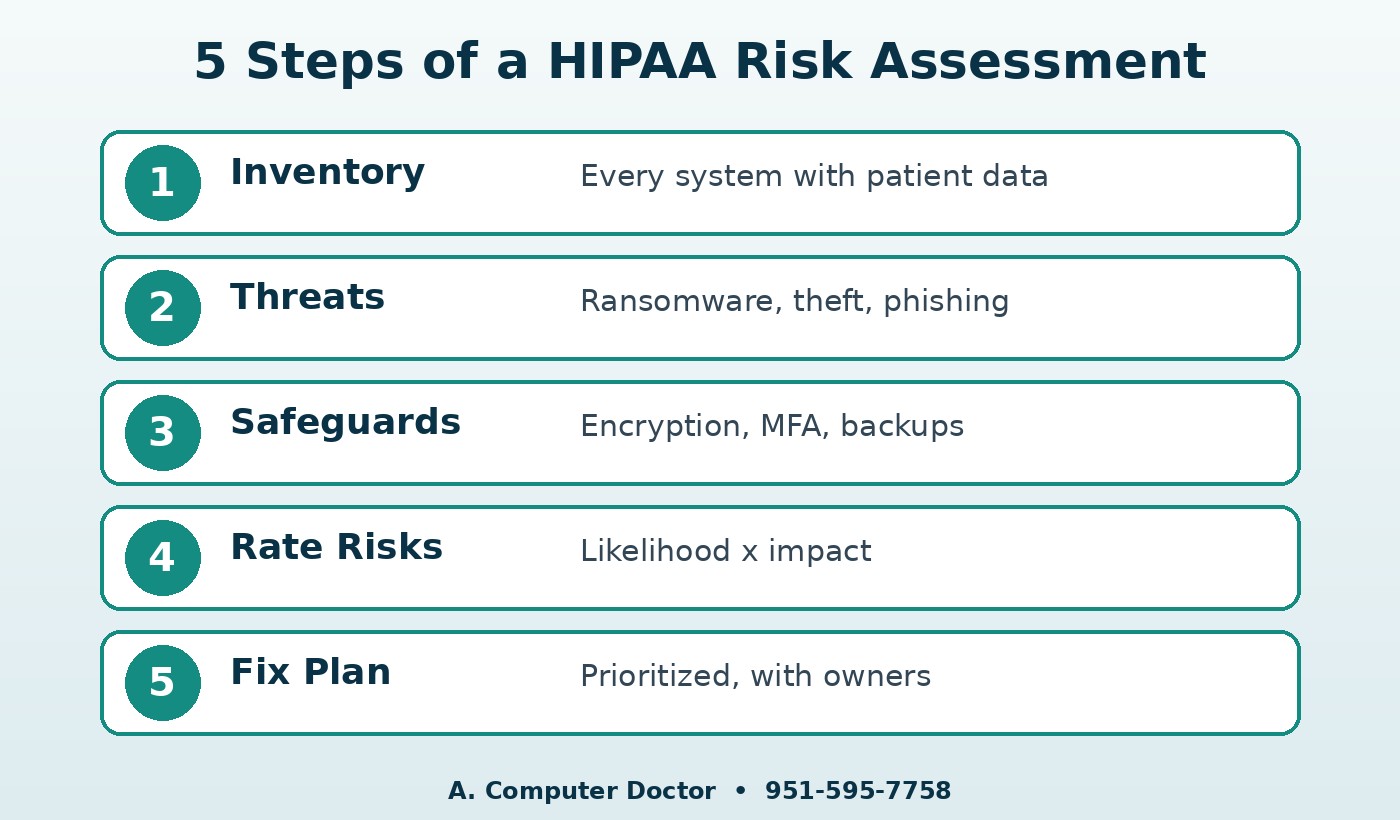
Your EHR or practice-management system is the obvious one, but ePHI also lives in email, scanned intake forms, imaging software, the copier’s hard drive, staff phones, cloud file shares, fax-to-email services and backup drives. Every system that touches patient information belongs on the list.
For each system, the assessment looks at realistic threats: ransomware, phishing, a stolen laptop, a former employee whose account was never disabled, a failed hard drive with no tested backup, or even a power outage. Then it identifies the weaknesses that make those threats more likely, such as missing updates, weak passwords or no multi-factor authentication.
Document what’s already in place: encryption, firewalls, endpoint protection, user access controls, audit logs, backups, and staff training. Many practices are doing more than they realize; they just have never written it down.
Each risk gets a likelihood and an impact rating so you can see at a glance what’s high, medium and low. An unencrypted laptop with patient records rates very differently than a locked server closet.
The final piece is a prioritized action list with owners and target dates. This is the part that actually makes your office safer, and it’s the part regulators want to see you following through on.
HIPAA doesn’t set a fixed calendar, but it does require the assessment to be ongoing. A good rule of thumb is to review it at least once a year and any time something significant changes: a new EHR, a move to a new office, adding a location, switching to cloud services, a staff turnover wave, or a security incident. If your last assessment was done for “meaningful use” years ago and hasn’t been touched since, it’s time.
You can. HHS offers a free Security Risk Assessment (SRA) Tool designed for small and medium-sized practices. The challenge is that the questionnaire assumes you already know the technical answers: whether workstations are encrypted, whether backups are tested, whether the firewall is logging, which accounts have admin rights. That’s where most office managers get stuck. Working with an IT partner who can actually check those systems makes the assessment accurate instead of a best guess.
A. Computer Doctor holds a 5.0-star rating on Yelp from local customers. One reviewer, Andrea C., shared that after Best Buy “was not able to fix it or figure out what was wrong with it after 2 hours,” Cesar “was able to diagnose and tell me exactly” what was wrong. That same clear, honest diagnosis is what a risk assessment needs: finding the real problems and explaining them plainly. Read our Yelp reviews to hear more in customers’ own words.
Is a risk assessment required for a small practice?
Yes. The HIPAA Security Rule applies to covered entities of every size, including solo and small group practices.
Does using a cloud EHR mean the vendor handles HIPAA for me?
No. Your EHR vendor protects its own systems, but your office computers, network, email, staff accounts and devices are still your responsibility and belong in your assessment.
How long does it take?
For a typical small office, discovery and testing can often be completed in a few visits, with the written report and fix list to follow. Larger or multi-location practices take longer.
Don’t wait for an audit letter, an insurance renewal question or a ransomware scare to find out where your practice stands. Call A. Computer Doctor at 951-595-7758 to schedule a HIPAA security risk assessment and medical office IT support for your practice in Murrieta, Temecula and the surrounding area.