In May 2021, one of the largest fuel pipelines in the United States shut down. Gas stations up and down the East Coast ran dry, drivers lined up for hours, and fuel prices jumped. Plenty of people assumed a nation-state had pulled off some kind of advanced cyber operation. The reality was more ordinary, and that’s exactly why it matters to every small business owner in Murrieta and Temecula. The Colonial Pipeline attack is a textbook case for ransomware prevention for small business. The mistakes behind it show up in local offices, retail shops, and home networks every week.
Here’s what happened, why it applies to a five-person office as much as to a billion-dollar company, and the practical steps that close the same doors.
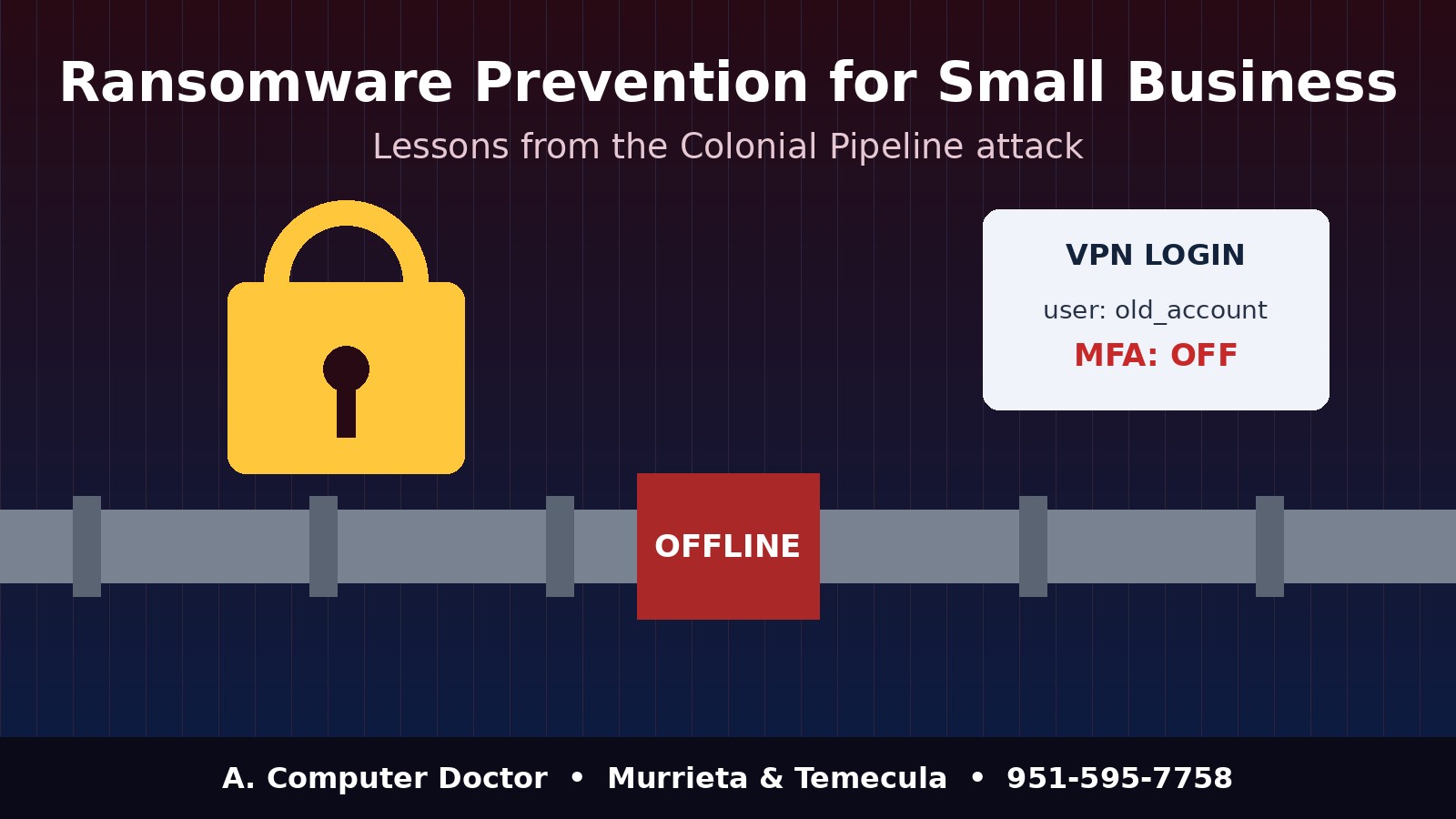
According to public reporting and congressional testimony, the attackers got in through an old remote-access (VPN) account. The account was no longer in active use but had never been turned off. Its password had reportedly turned up in a batch of leaked credentials, and it wasn’t protected by multi-factor authentication. That meant anyone with the right username and password could sign in. No exploit was needed, and nothing sophisticated happened at the front door.
Once inside, the criminal group stole data and deployed ransomware on the company’s business systems. The fuel-control equipment wasn’t directly encrypted. Even so, the company shut the pipeline down as a precaution, partly because it couldn’t be sure how far the infection had spread and partly because the business side, including billing, was compromised. The company paid a multimillion-dollar ransom. Investigators later recovered part of it, but the outage, the cleanup, and the damage to its reputation cost far more.
The big lesson: you don’t have to be hacked in a clever way to be hurt in a serious way. One forgotten account, one reused password, and one missing security layer were enough.
It’s easy to think, “I’m not critical infrastructure, nobody’s coming after me.” But ransomware gangs don’t hand-pick most of their victims. They buy lists of leaked passwords, scan the internet for open remote-access ports, and try logins automatically. A dental office in Temecula, a property manager in Murrieta, or a family with a home office in Menifee looks just like any other target to those tools.
Small businesses often get hit harder, because they usually don’t have a spare IT team, a tested recovery plan, or cash set aside for a week of downtime. The Colonial Pipeline attack shows the pattern at a huge scale. The same pattern plays out quietly at small scale all the time.
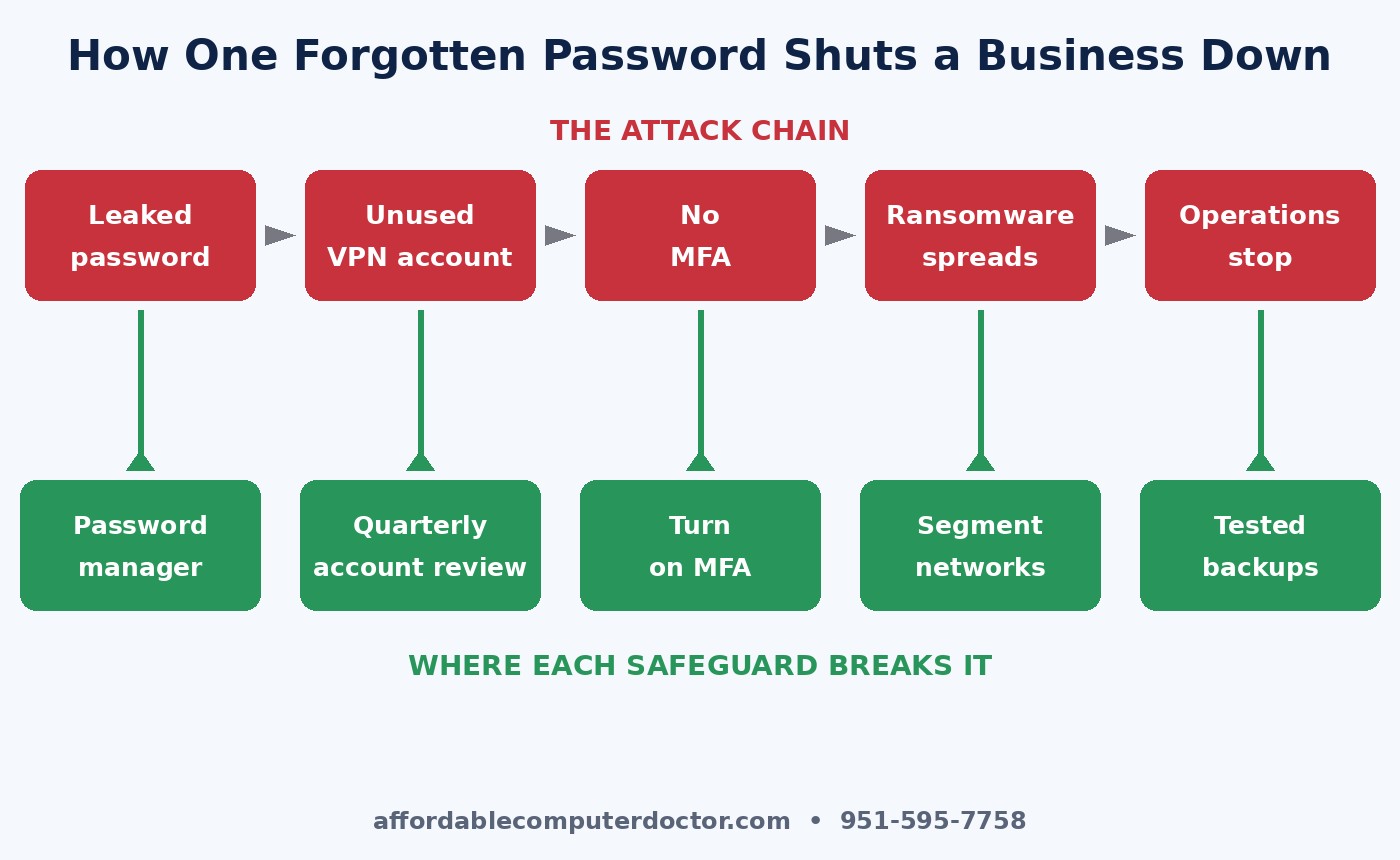
If that one VPN account had needed a second factor, like a code from a phone app or a hardware key, a stolen password alone would have been worthless. Start with the accounts that would hurt most: email, remote access, banking, payroll, your accounting software, and any cloud admin portal. For most small offices this is free or close to it, and it stops a large share of account-takeover attacks.
Former employees, old vendor logins, a “temp” account from a project two years ago: every one of these is an unlocked side door. Once a quarter, list every user account on your email system, file shares, remote-access tools, and line-of-business apps. If nobody can explain why an account exists, disable it. Make offboarding a checklist item so access is removed the day someone leaves.
Criminals count on people using the same password for a shopping site and for work. When the shopping site gets breached, the work account falls too. A business password manager makes unique, strong passwords painless for your staff, and it lets you share credentials safely instead of keeping them on sticky notes. Home users should do the same for email, banking, and Apple or Google accounts.
Colonial shut down operations partly because it couldn’t trust that the business network and the operational network were truly separate. A small business has its own version of this: the point-of-sale system, the security cameras, the guest Wi-Fi, and the office computers often all sit on one flat network. Splitting them into separate network segments (VLANs, or at least a separate guest network) keeps an infected laptop from reaching everything else.
A ransom demand is only powerful if you can’t recover without paying. Keep at least one copy of your critical data offline or immutable, meaning it can’t be changed or deleted from the network. Then test a restore. Plenty of businesses find out their backups were broken on the worst possible day. If you can rebuild from clean backups in hours instead of weeks, a ransomware attack becomes a bad day instead of a business-ending event.
Colonial’s decision to stop operations wasn’t just a technical one. It was a business call made under pressure. Think through your own version ahead of time. Who decides whether to shut systems down? Who calls your insurance carrier, your bank, and your customers? Do you know whether your cyber insurance policy requires you to use specific incident-response vendors? Write the answers on a single page, keep a printed copy off the network, and walk through it once a year with your key people.
If you can’t check every box, you’re not alone. Most small organizations we visit are missing two or three of these. The good news is that none of them takes a big budget. They take attention and follow-through.
A. Computer Doctor helps small businesses and home users in Murrieta, Temecula, Menifee, Wildomar, and Lake Elsinore find forgotten accounts, set up multi-factor authentication, lock down remote access, and build backups that actually restore. If you’d like a straightforward check of where you stand, call us at 951-595-7758. A short conversation now costs far less than a ransom later.
Inspired by the NCX Group podcast episode “EP. 10 What Really Happened with the Colonial Pipeline Cyberattack, and Why We Should Be Concerned” (Bite Size Security). Our take is written independently for local small businesses and home users.