When the computers at a medical office go down, the whole day goes with them. Patients wait at the front desk, providers can’t open charts, e-prescriptions stall and telehealth visits drop. For small practices in Menifee, Wildomar and French Valley, medical office IT support isn’t about fancy technology. It’s about keeping the EHR, check-in, phones and telehealth working every morning while keeping patient information protected under HIPAA. This guide walks through what reliable medical office IT looks like, where small practices usually run into trouble, and how A. Computer Doctor helps local clinics stay online and compliant.
Most practices in the Temecula Valley run with a handful of workstations, a front-desk PC, a couple of printers or scanners, Wi-Fi for staff and guests, and a cloud or on-site EHR. That’s a small footprint, but it carries big responsibility. Every one of those devices can touch protected health information (PHI), and every one of them can cause downtime. Without someone watching over them, problems pile up quietly: missed Windows updates, expired antivirus, shared passwords, an aging router and backups no one has tested.
Healthcare is also one of the most targeted industries for ransomware and phishing. Attackers know that a clinic that can’t see its schedule will feel pressure to pay quickly. Good IT support reduces that risk long before anything happens.
Slow exam-room computers cost providers minutes on every visit. We tune and upgrade workstations with SSDs and enough memory for modern EHR software, remove junk startup programs, and standardize settings so every room works the same way. When a PC is beyond saving, we help you choose a business-grade replacement and move everything over without losing data.
Front-desk problems create the longest lines. Insurance card scanners that stop talking to the EHR, label printers that go offline and signature pads that need drivers are some of the most common calls we get. We set these devices up correctly the first time, document how they connect, and fix them quickly when an update breaks something.
Telehealth visits need a stable connection with steady upload speed. We separate the clinical network from guest Wi-Fi, configure a business firewall, and check that video visits aren’t competing with patients streaming in the waiting room. If your internet provider has a bad day, a backup connection can keep the most important systems online.
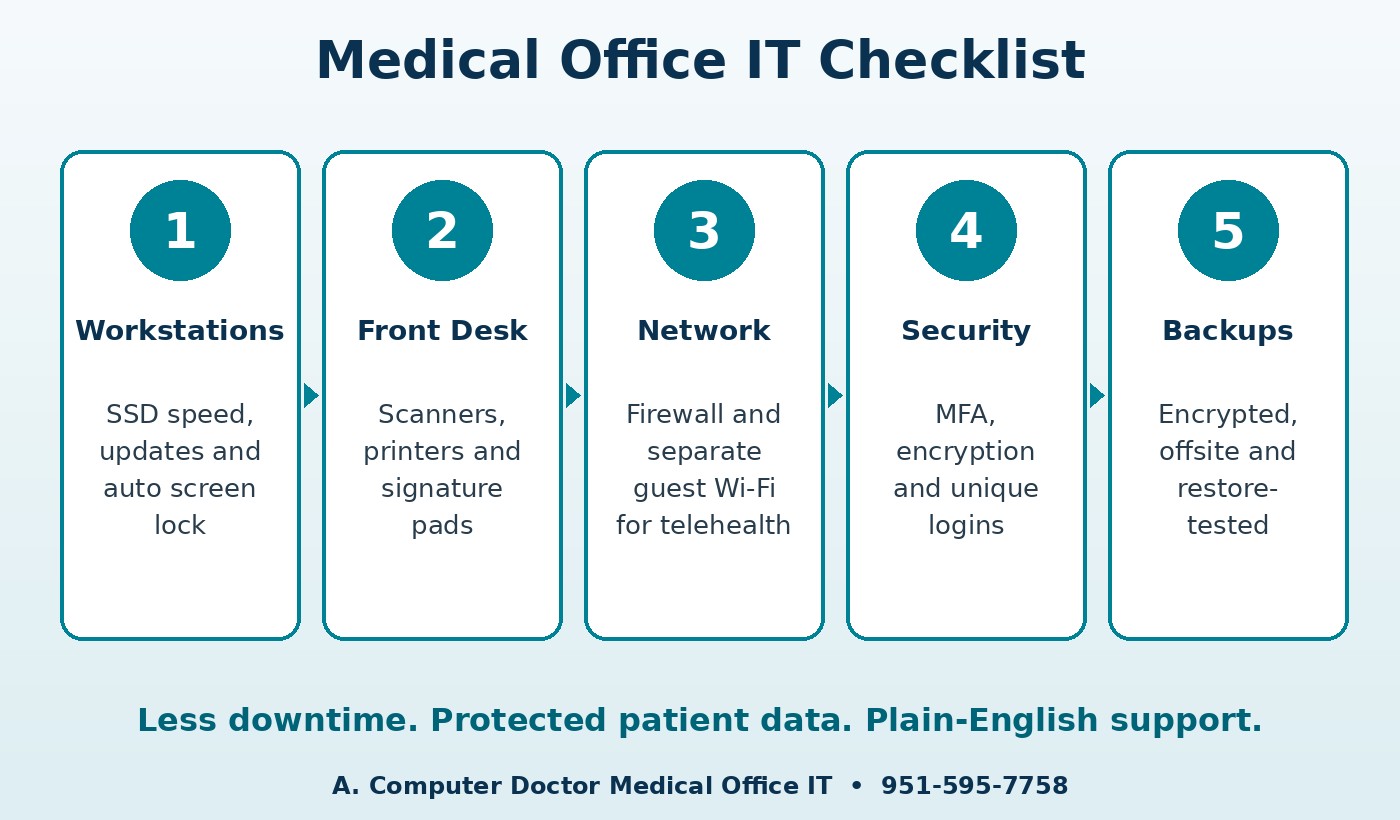
The HIPAA Security Rule asks covered entities to protect electronic PHI with administrative, physical and technical safeguards. For a small office, the technical side usually comes down to a short list that we help put in place and maintain:
If you haven’t documented your risks yet, start with our guide to a HIPAA security risk assessment for medical offices. It explains what the assessment covers and how it shapes the safeguards above.
HIPAA expects a data backup plan, a disaster recovery plan and an emergency mode operation plan. In plain terms: you need copies of your data that ransomware can’t reach, you need to know how long a restore takes, and your team needs to know what to do if systems are down for a morning. We set up automated, encrypted backups with an offsite or cloud copy, test restores on a schedule, and help you write a simple one-page downtime procedure. Paper intake forms in a labeled folder at the front desk can save a whole day of appointments.
A. Computer Doctor holds a 5.0-star rating on Yelp from local customers. One reviewer, Andrea C., shared that after Best Buy “was not able to fix it or figure out what was wrong with it after 2 hours,” Cesar “was able to diagnose and tell me exactly” what was wrong. Medical offices get that same clear, honest diagnosis when a workstation or network problem threatens the schedule. Read our Yelp reviews to hear more in customers’ own words.
Do you work with our existing EHR vendor?
Yes. We handle the computers, network, printers and security around your EHR and coordinate with the vendor’s support team when an issue sits on their side.
Will you sign a Business Associate Agreement?
Ask us about a BAA when we review your practice’s needs. Any IT provider that can access systems containing PHI should be covered by one.
Can you help a practice that’s opening or moving?
Yes. We plan the network, workstations, phones and security before move-in day so you can see patients on day one. Our office IT setup checklist covers the basics.
Do you only serve Menifee, Wildomar and French Valley?
No. We support medical and dental offices across Murrieta, Temecula, Menifee, Wildomar, Lake Elsinore and French Valley.
A. Computer Doctor has served Southwest Riverside County since 2006 with IT support for medical practices and small businesses. Whether you need help with a slow EHR workstation, a front-desk scanner, telehealth Wi-Fi or HIPAA safeguards, we’ll explain what’s wrong in plain English and fix it right. Call 951-595-7758 to schedule a visit, or learn more about our medical office IT support and HIPAA compliance services.