
Slow Wi-Fi, dropped video calls and a printer that disappears from the network every afternoon aren’t just annoyances. For a small business, they mean lost time, frustrated employees and customers left waiting. A. Computer Doctor is a local IT team based in Murrieta, and we provide business Wi-Fi and network support in Menifee, Lake Elsinore, Murrieta and Temecula, along with Wildomar and French Valley. Here’s how to spot network trouble, what usually causes it and how we fix it for good.
Most network problems build slowly, so people learn to live with them. If any of these sound familiar, it’s worth having the network looked at:
Many offices still run on the all-in-one router the internet provider dropped off years ago. Those units are built for a household, not a team of employees, point-of-sale systems, phones and printers all connecting at once. Business-grade access points and a proper switch handle more devices and give you real security controls.
Walls, metal shelving, filing cabinets and even aquariums block wireless signals. A single router in a closet at one end of the suite rarely covers the whole space. We check coverage room by room and place access points where your people actually work.
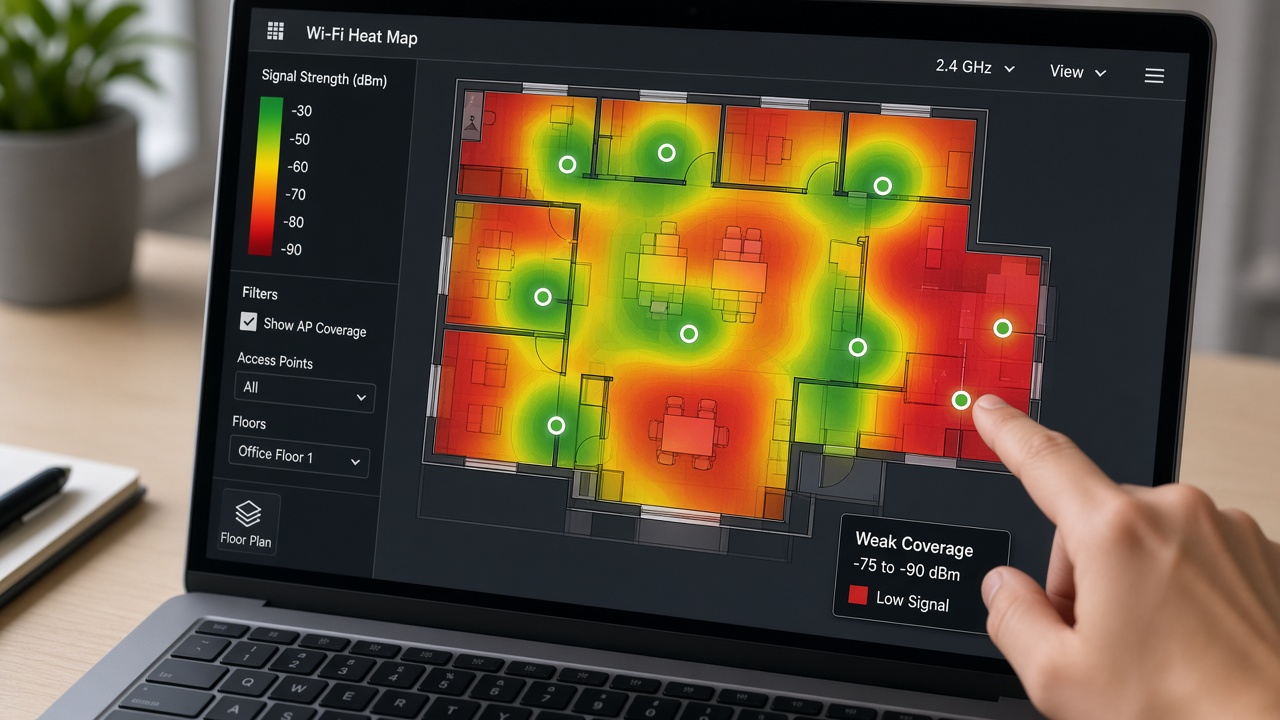
Routers and access points need updates just like computers do. Old firmware can cause random disconnects and leaves known security holes open. Hardware that’s five or more years old may also lack support for newer Wi-Fi standards your laptops and phones already use.
When guests, employees, cameras and smart TVs all share one network, a single infected or misbehaving device can slow down or expose everything else. Separating guest Wi-Fi and smart devices from business computers is one of the simplest ways to improve both speed and security.
Our network support for Menifee, Lake Elsinore and Murrieta businesses follows a practical process:
Moving to a new space? Our office IT setup checklist covers internet, cabling and Wi-Fi planning before move-in day.
Healthcare practices handle protected patient information, so their networks need extra attention under HIPAA. Patient Wi-Fi in the waiting room should never touch the network that runs your practice software, and wireless connections should use strong encryption. Learn more about our medical office IT support and HIPAA compliance services.
Businesses and homeowners around Murrieta and Temecula have given A. Computer Doctor a 5.0-star rating on Yelp. Instead of taking our word for it, read our Yelp reviews to see what local customers say about working with us.
Often it’s the Wi-Fi, not the internet plan. If a computer plugged directly into the router is fast but wireless devices are slow, the problem is inside your office. We test both so you don’t pay for an upgrade you don’t need.
Yes. We start with what you own and only recommend new hardware when it will make a real difference in speed, reliability or security.
We provide on-site and remote network support for businesses in Menifee, Lake Elsinore, Murrieta, Temecula, Wildomar, French Valley and nearby communities.
If your office Wi-Fi keeps dropping, slowing down or leaving parts of your space without coverage, a local technician can usually find the cause quickly. Call A. Computer Doctor at 951-595-7758 to schedule a network check for your Menifee, Lake Elsinore, Murrieta or Temecula business.