A sticky “E” key, a spacebar that only works if you press the left side, or a touchpad that freezes the cursor in the middle of an email can make a perfectly good laptop feel useless. The good news: most keyboard and trackpad problems are repairable, and often for far less than the cost of a new machine. At A. Computer Doctor, laptop keyboard and trackpad repair in Murrieta and Temecula is one of the most common fixes we handle for students, home users and busy small business owners. Here’s how to tell what’s wrong, what you can safely try at home, and when it’s time to bring it in.
Keyboard issues usually fall into a few patterns, and each one points to a different cause:
Restart the laptop and press a key repeatedly as it boots, such as F2 or Delete to enter the BIOS setup. If the key works there but not in Windows, the problem is probably software: a driver, a recent update or an accessibility setting like Filter Keys. If the key fails everywhere, including in the BIOS, it’s a hardware problem. Plugging in a cheap USB keyboard is another useful test, and it keeps you working until the repair is done.
Trackpad failures are just as frustrating. We regularly see cursors that jump or drift on their own, two-finger scrolling that stopped working, clicks that don’t register, and touchpads that are completely dead. Before you assume the worst, check these:
If your touchpad has become hard to click, sits higher than it used to, or the bottom of the laptop is bulging, stop using the laptop and unplug it. That is a classic sign of a swollen lithium battery pushing up from underneath. It’s a safety issue, not just an annoyance, so don’t press on it or try to pry it open. Bring it in and we’ll safely replace the battery. Our guide to a laptop that won’t charge or drains fast covers other battery warning signs.
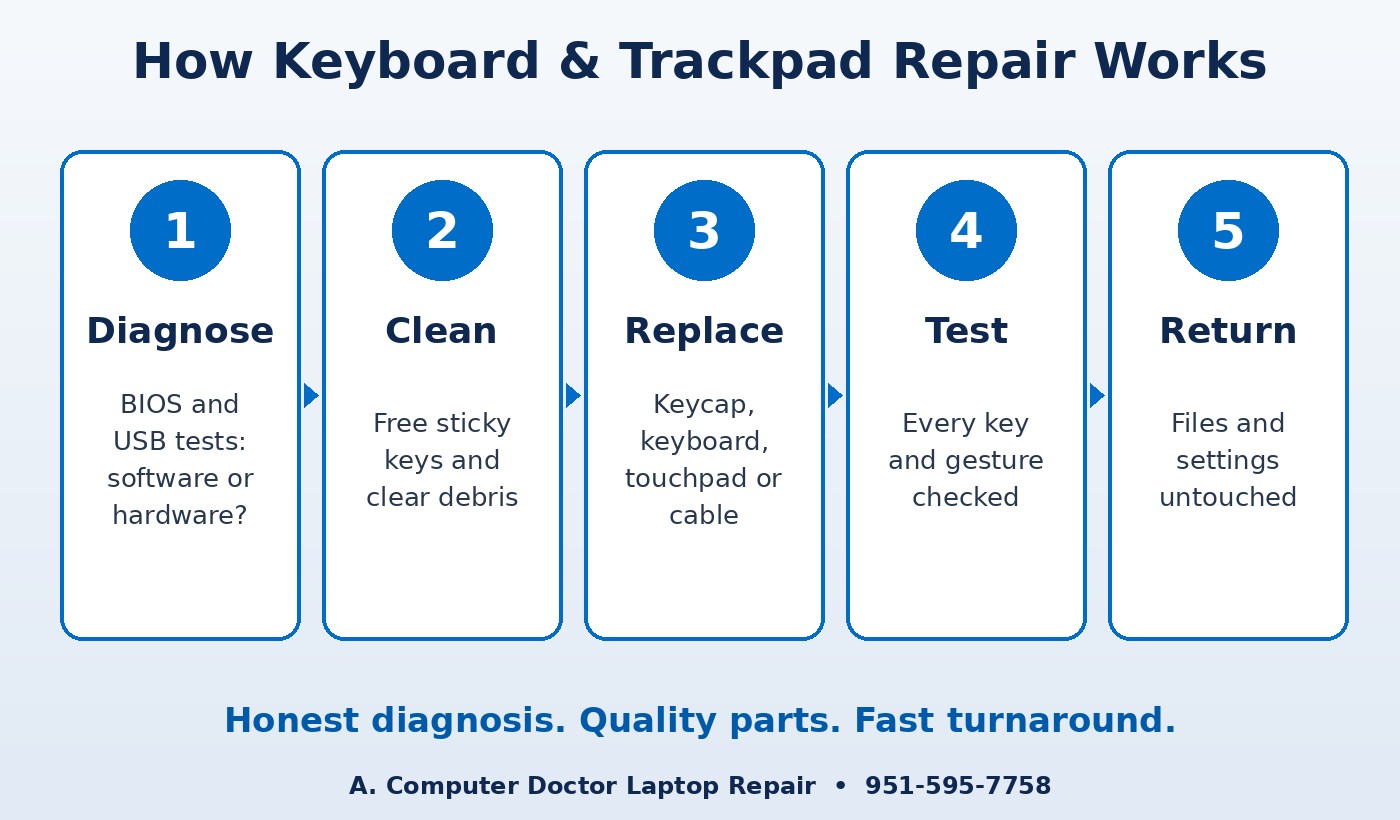
When you bring your laptop to A. Computer Doctor, we start with a diagnosis so you know exactly what’s wrong before you spend a dime on parts. Depending on what we find, the repair may include:
If your keyboard stopped working after a spill, act fast and read our steps for a laptop with spilled liquid. Liquid that reaches the motherboard causes more damage the longer the laptop stays powered on.
For most laptops less than five or six years old, a keyboard or trackpad repair is well worth it. The rest of the machine is usually in good shape, and you keep your files, programs and settings exactly where they are. If the laptop is very old, also needs a new battery and screen, or can’t run Windows 11, we’ll tell you honestly whether the money is better spent on a new one. Our article on whether to repair or replace a computer walks through that decision.
For offices, a broken keyboard on the front-desk or billing laptop means slow check-ins and typos in records. We work with businesses across Murrieta, Temecula, Menifee, Wildomar, Lake Elsinore and French Valley to get staff laptops repaired quickly, and we can set up a temporary external keyboard so work keeps moving in the meantime.
A. Computer Doctor holds a 5.0-star rating on Yelp from local customers. One reviewer, Andrea C., wrote that her laptop “randomly crashed one morning” and that after Best Buy “was not able to fix it or figure out what was wrong with it after 2 hours,” Cesar “was able to diagnose and tell me exactly” what was wrong. Every keyboard and trackpad repair starts the same way: a clear diagnosis explained in plain English. Read our Yelp reviews to hear more in customers’ own words.
Can you replace just one key?
Often, yes. If only the keycap or clip is broken and a matching part is available, we can replace that single key instead of the whole keyboard.
Will I lose my files during the repair?
No. Keyboard and touchpad repairs don’t touch your hard drive or SSD. We still recommend a current backup before any repair.
Do you repair MacBook keyboards and trackpads too?
Yes. We work on Windows laptops, Chromebooks and MacBooks.
Should I use compressed air myself?
A few short bursts at an angle are fine for crumbs. Don’t pry keycaps off with a knife or flip the laptop over a sink, since that’s how most snapped clips and liquid damage happen.
Don’t put up with dead keys or a jumpy cursor. A. Computer Doctor has served Southwest Riverside County since 2006 and repairs laptops for homes and businesses in Murrieta, Temecula, Menifee, Wildomar, Lake Elsinore and French Valley. Call 951-595-7758 to get a diagnosis and an honest repair quote, or see our full computer and laptop repair services.