Ask ten small business owners in Temecula or Murrieta what they use for email and documents and you’ll hear a mix: Microsoft 365, Google Workspace, a free Gmail account, an old GoDaddy mailbox, or “whatever my last IT guy set up.” Picking (or switching) your business productivity platform is one of the most common IT consulting questions we get at A. Computer Doctor. It touches email, file sharing, security, compliance and your monthly budget, so it’s worth getting right. This guide walks through how Microsoft 365 and Google Workspace compare, which types of local businesses tend to fit each one, and how to migrate without losing a single email.
Your productivity suite isn’t just “the email app.” It’s where your customer conversations, contracts, invoices, schedules and shared files live. It controls who can log in, from which devices, and what happens when an employee leaves. A good setup quietly protects the business; a messy one leads to lost files, shared passwords, phishing break-ins and staff who can’t find anything. For businesses across Temecula, Murrieta, Menifee, Wildomar, Lake Elsinore and French Valley, a quick consulting review usually pays for itself in saved time alone.
Microsoft 365 bundles Outlook/Exchange email, Word, Excel, PowerPoint, Teams, OneDrive and SharePoint. Its strengths for local businesses:
Google Workspace includes Gmail with your own domain, Google Drive, Docs, Sheets, Slides, Meet and Calendar. It shines for:
Google also offers a BAA for covered Workspace services, but the account still has to be configured correctly. Neither platform is “HIPAA compliant” out of the box; compliance depends on the setup and how your office uses it.
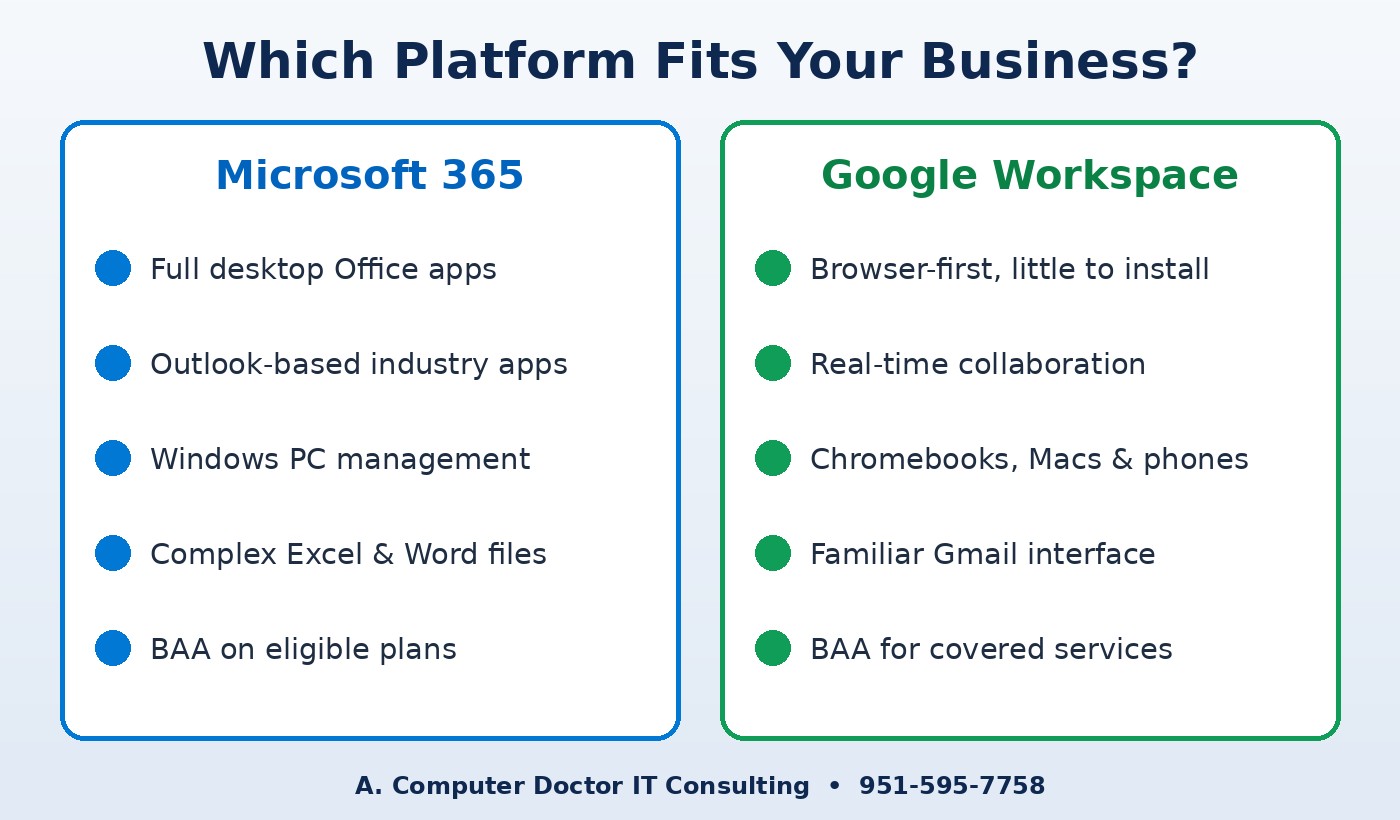
There’s no single right answer, so we start with how your business actually works:
Whether you’re moving from an old hosted mailbox to Microsoft 365, from Microsoft to Google or the other way around, the process is the same: we inventory your mailboxes, shared files, calendars and contacts; set up the new tenant with MFA and security defaults; copy existing mail and files ahead of time; switch your domain’s DNS records after hours to minimize downtime; and then help each person get signed in on their computer and phone. Afterward we verify email authentication, set up backups and document everything so you’re never locked out of your own accounts.
A. Computer Doctor holds a 5.0-star rating on Yelp from local customers. One reviewer, Andrea C., shared that after Best Buy “was not able to fix it or figure out what was wrong with it after 2 hours,” Cesar “was able to diagnose and tell me exactly” what was wrong. That same straightforward, plain-English advice is what you get in an IT consulting session. Read our Yelp reviews to hear more in customers’ own words.
Can I keep my current email address if I switch?
Yes. Your domain stays yours. We move the mailboxes and update your DNS records so mail starts flowing to the new platform under the same address.
Will we lose old emails during a migration?
Not when it’s planned properly. Existing mail, contacts and calendars are copied before the cutover and checked afterward.
Which is cheaper?
Pricing changes regularly and depends on the plan and features you need. In a consulting review we compare current plans against what your team actually uses, so you don’t pay for features nobody touches.
Not sure whether Microsoft 365 or Google Workspace is right for your business, or whether your current setup is secure? Call A. Computer Doctor at 951-595-7758 for IT consulting, setup and migration help for businesses in Murrieta, Temecula, Menifee, Wildomar, Lake Elsinore and French Valley.